Active integration · StreamTelecom
AI call analytics
through StreamTelecom
HAPP AI works with StreamTelecom. Every call is transcribed and analyzed — and you see how your managers really perform without listening.
HAPP AI works with StreamTelecom. Every call is transcribed and analyzed — and you see how your managers really perform without listening.
Full control over your team's phone communication — without spending a single minute listening to recordings
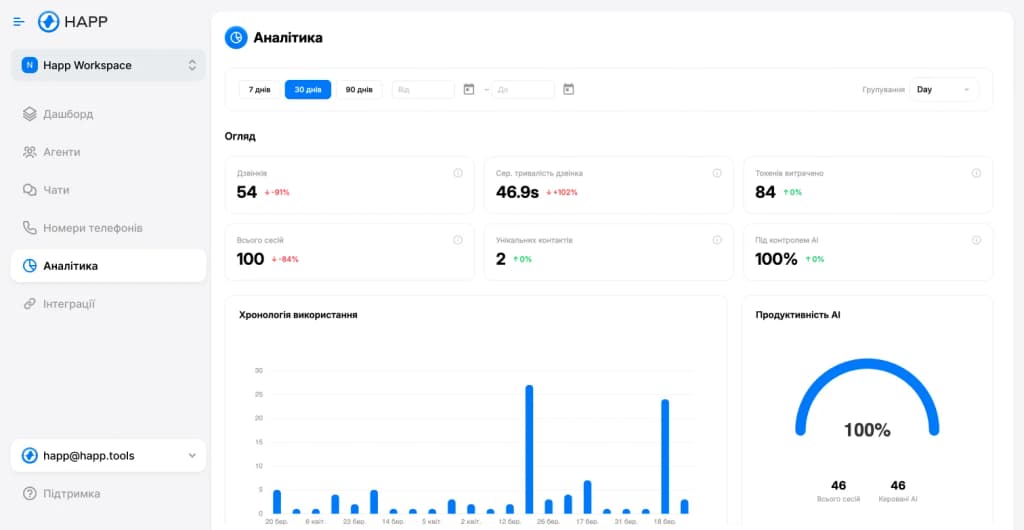
Analytics
Track call performance, manager scores and team-wide trends
AI evaluates every call against your script and criteria. Scoring without listening.
AI answers calls 24/7. No customer is ever left without a response.
See who on your team is performing and who isn't — one screen instead of hours of listening.
Audio to text, instantly. Find any phrase across hundreds of calls in seconds.
Security
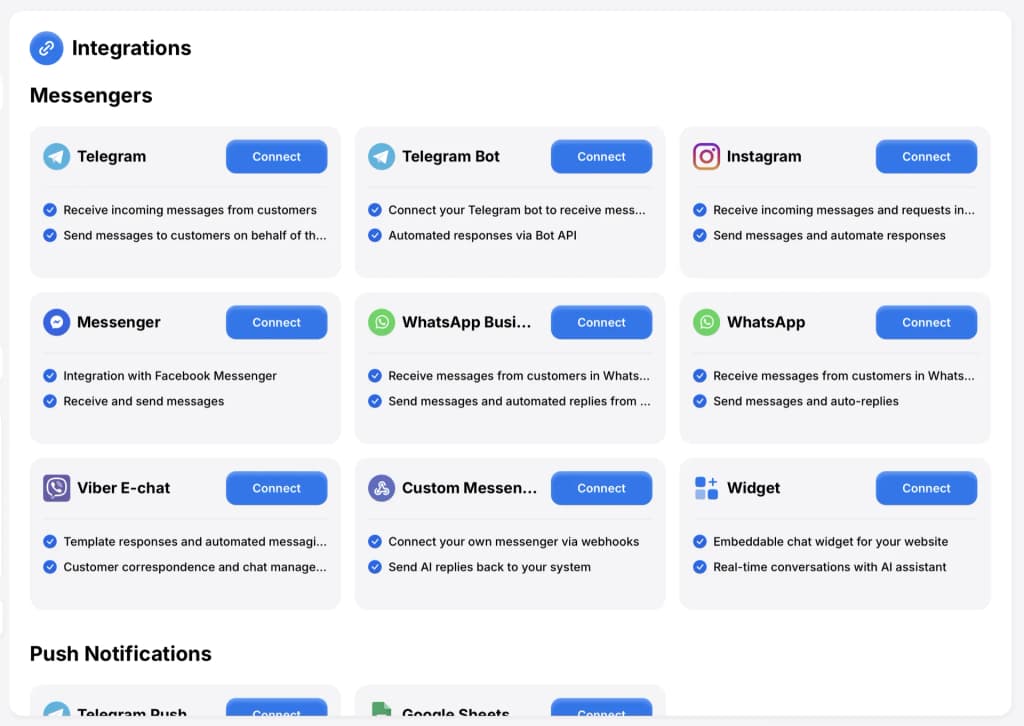
Integrations
StreamTelecom + Telegram, Viber, Instagram, Facebook, WhatsApp — a single interface for all your communication
HAPP AI analyzes StreamTelecom calls and integrates with popular messengers in one interface



Four steps — from finding StreamTelecom in HAPP to your first call in the transcript.
Step 1: Find the integration
Open Telephony → StreamTelecom
A short checklist — once these four things are in place, the rest takes under 30 minutes.
A working plan with provisioned numbers and admin rights — StreamTelecom only acts on requests from account owners.
The same email you usually use with StreamTelecom — they send the API keys only to the account owner's address.
Create the StreamTelecom integration inside HAPP — you'll get a unique webhook URL to paste into the email to support.
Where exactly to find it?Sign up at my.happ.tools on any plan that includes voice analytics. One account, any number of phone lines.
Three simple steps — from requesting keys at StreamTelecom to the «Connected» state in HAPP.
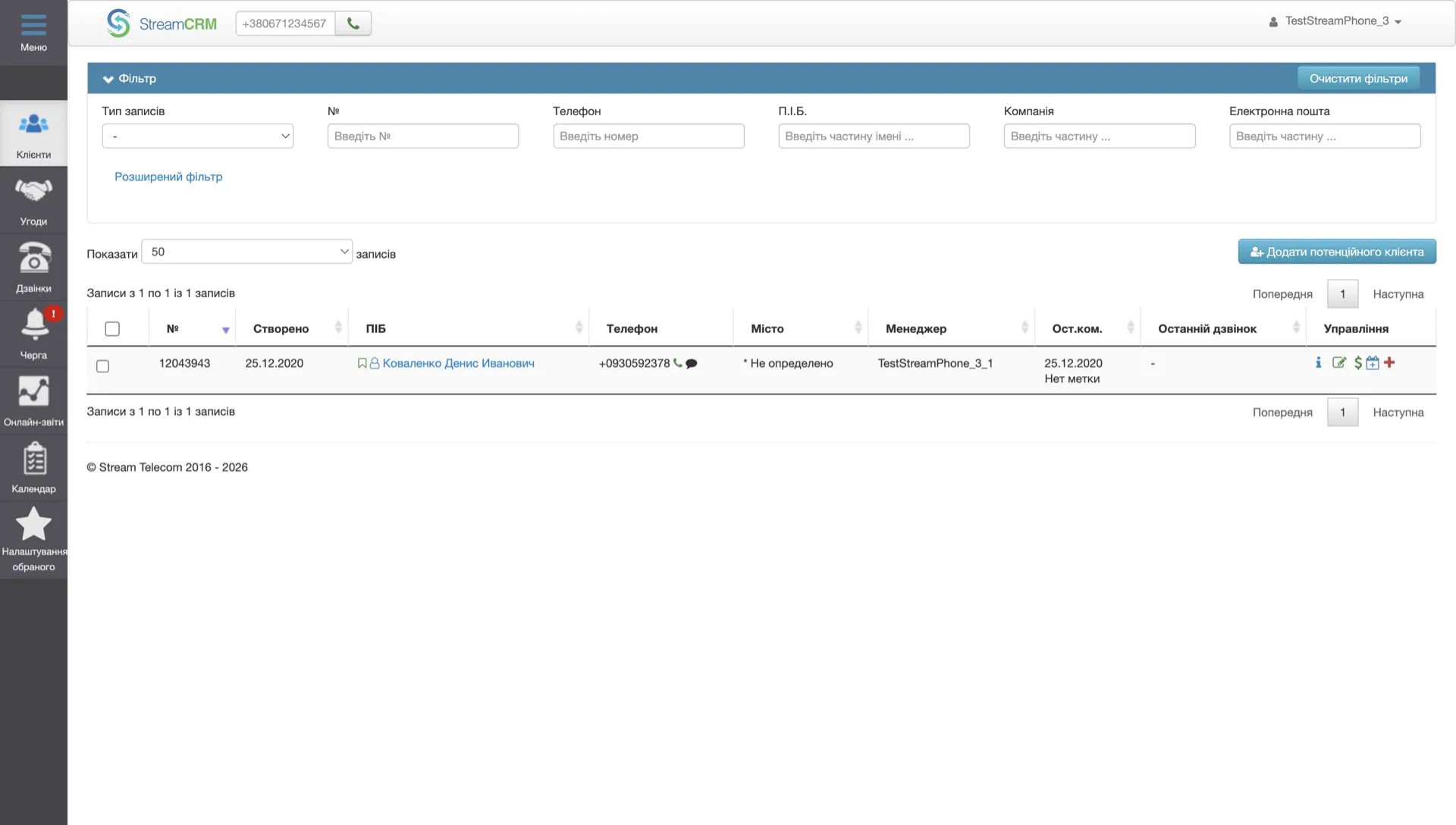
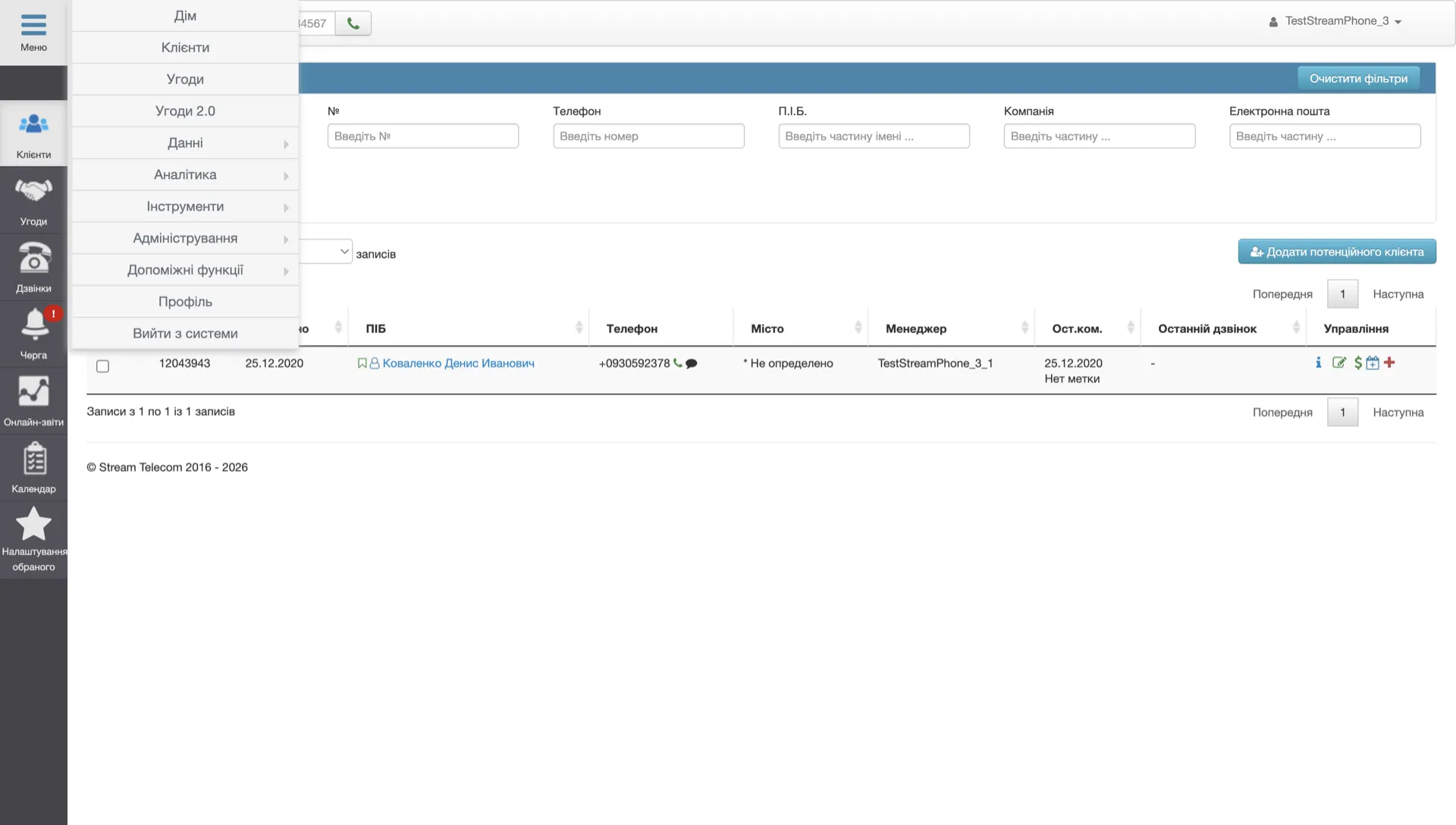
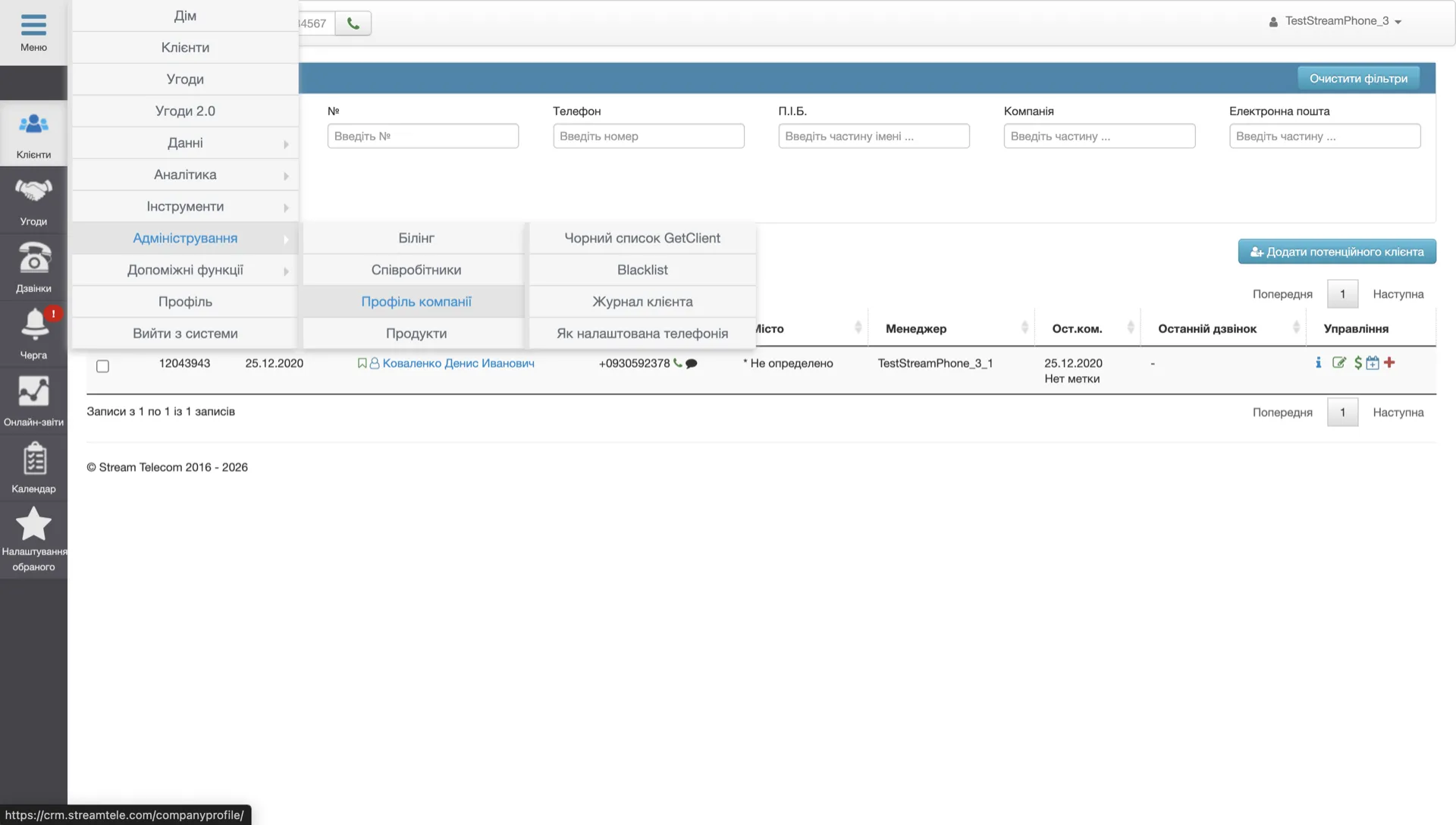
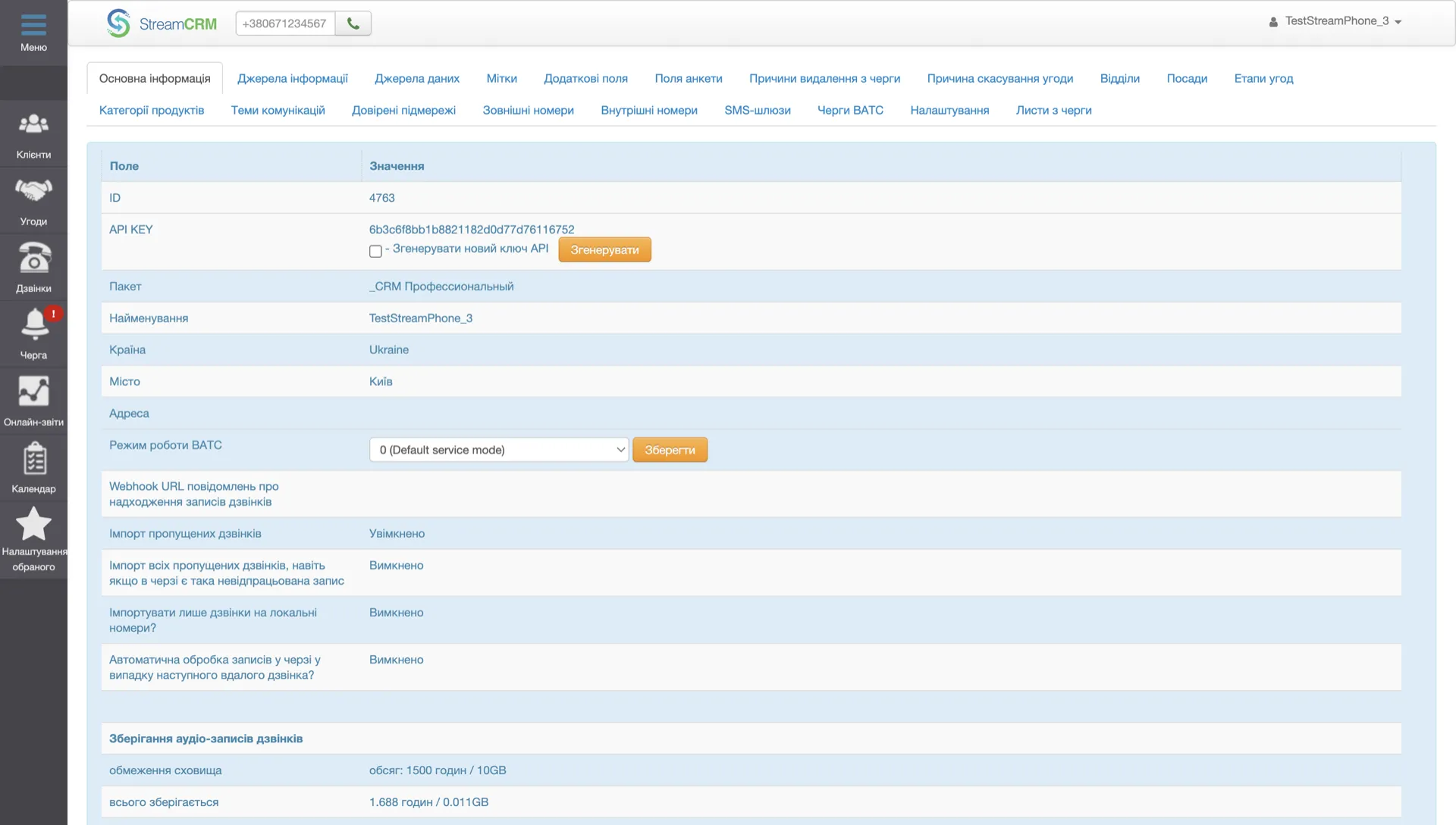
Four clicks inside the StreamCRM admin to a ready API key. Watch the walkthrough on the right.
Click the «Меню» button in the top-left corner of StreamCRM
In the menu, open «Адміністрування» (Administration)
In the submenu, click «Профіль компанії» (Company profile)
On the profile page, click the yellow «Згенерувати» (Generate) button next to API KEY — and copy the key into HAPP

StreamTelecom
Webhook URL for calls — generated for your account
Webhook URL
Events the webhook fires
API credentials (from StreamTelecom)
HAPP has already generated your webhook URL and is waiting for the Key and Secret. Copy the URL into your StreamTelecom email, then come back to paste the keys when they arrive.
Open HAPP
 Call Webhook
Account Information
https://api.happ.tools/api/voice-assistant-webhooks/call-event
06.02.2026, 14:41
 Telegram Push
Account Information
Slava Saloid
24.01.2026, 16:53
StreamTelecomAccount Information
happ-tools.streamtelecom.app
08.02.2026, 16:22
The green «Connected» pill in the assistant's integrations — calls flow into HAPP straight away with transcription, scoring, and Voice AI.
Try it freeDashboard, rep scoring, voice AI — all inside HAPP.
Click a tab to peek inside.
Team
Managers this week
Avg score
76
Total
437
A. Petrenko
142 calls
23
92%
87
+8
I. Kovalenko
118 calls
18
81%
79
+3
M. Shevchenko
96 calls
11
68%
72
5
T. Bondar
81 calls
7
54%
64
12
How to safely turn the StreamTelecom integration off or back on — and what happens to your calls and credentials.
Disconnect
How to disconnect StreamTelecom
Two steps in HAPP — the assistant stops handling calls, recorded ones stay put.
What happens after disconnecting
Reconnect
How to reconnect StreamTelecom
If you still have the keys — two clicks, no email. If not — re-request from support.
What is preserved after reconnecting
Answers to common questions about StreamTelecom with Happ
StreamTelecom only issues API keys and configures webhooks by request to [email protected]. In HAPP create the integration → copy your webhook URL → email StreamTelecom support asking them to point the webhook to that address and send you the API Key and Secret. Usually within a day. Paste the keys back into HAPP and the integration goes live.
About 20 minutes of hands-on work — email StreamTelecom, receive the keys, paste them into HAPP, attach the assistant. Wall-clock time depends on StreamTelecom's reply — typically up to 24 hours.
Speech recognition accuracy is over 95% for clear audio. AI continuously learns and improves recognition quality for your industry.
Yes. You set the sales script, scoring criteria and the weight of each parameter. AI scores every call by your exact standards.
Yes, the voice AI handles inbound and outbound calls 24/7 — no breaks, weekends or sick days.
We use cookies to analyze site traffic and improve your experience. Privacy Policy